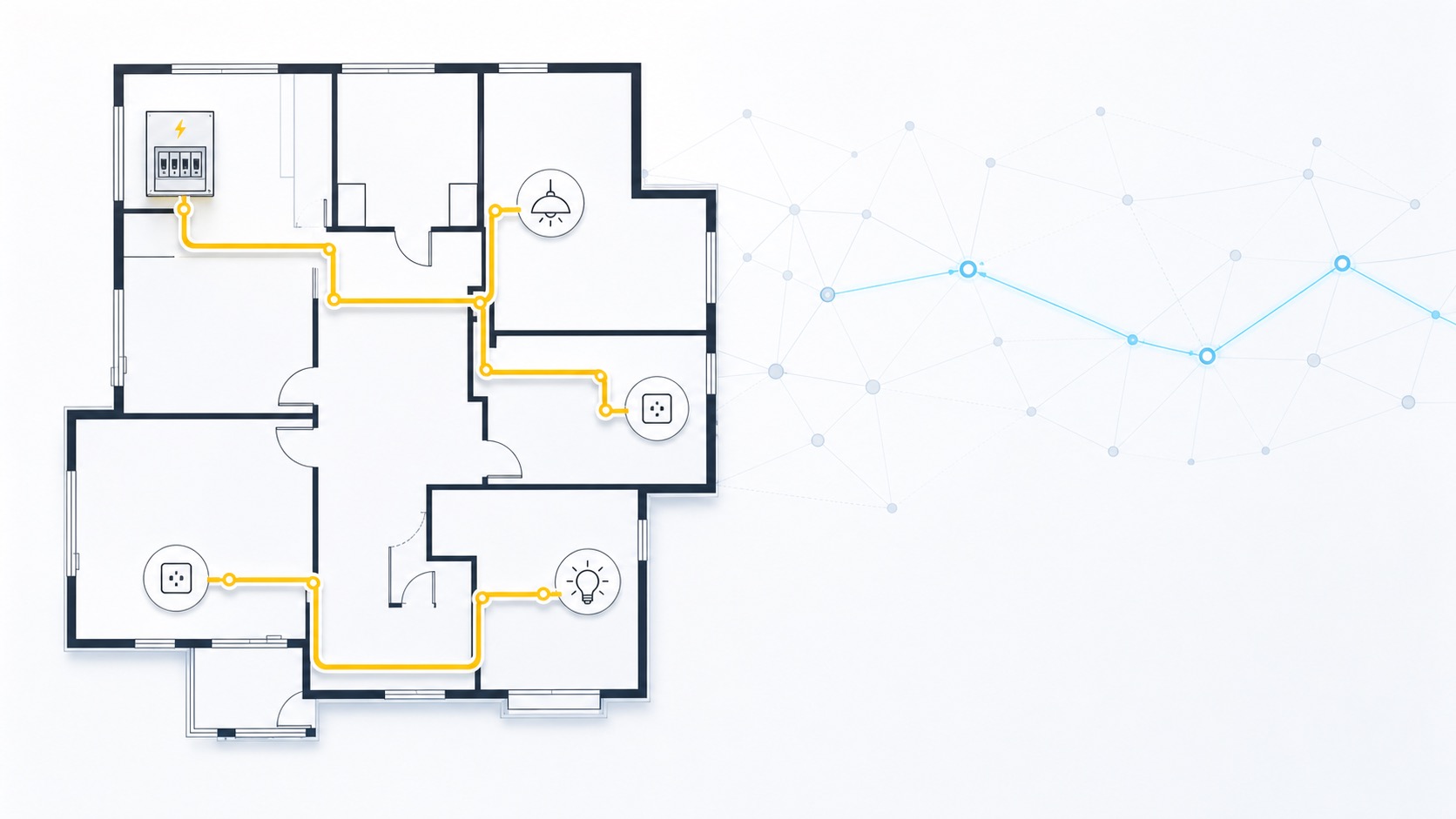
First, a bit of dry theory about pathfinding.
One of the shortest-path algorithms is the Dijkstra algorithm. It is used to find the shortest path in a graph from a starting point to all other points, or the shortest path to one specific destination.
This is how it works on a graph:
- the distance to the starting point is 0, and every other distance is infinity
- it always selects the closest unprocessed vertex
- it checks that vertex’s neighbors, and if going through it gives a shorter path, it updates their distances
It repeats this until all required vertices have been processed.
Important conditions:
- it works correctly only with non-negative edge weights
- it is not used for negative weights
Let us assume we want to get from A to D:
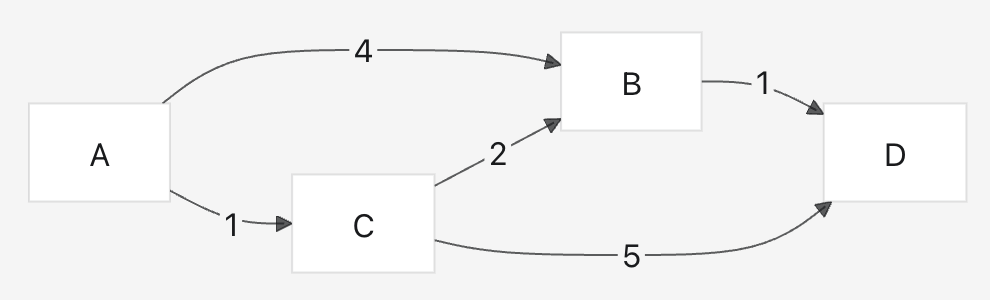
The possible paths are:
- A -> B -> D = 4 + 1 = 5
- A -> C -> D = 1 + 5 = 6
- A -> C -> B -> D = 1 + 2 + 1 = 4
Dijkstra’s algorithm will find this as the shortest path:
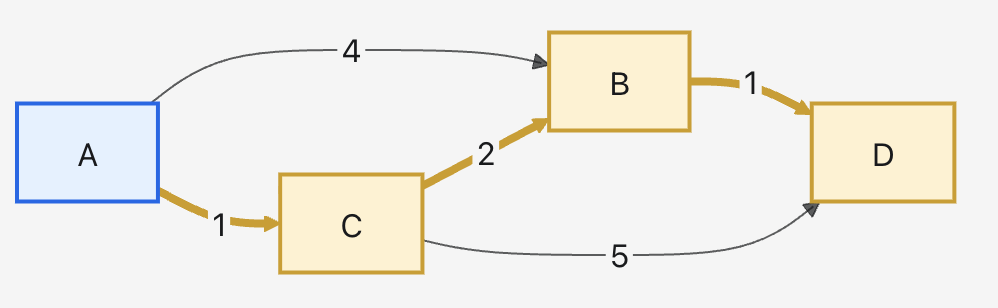
That is:
A -> C -> B -> D, total cost: 4The steps in short:
Start: A = 0, everything else = infinity
From A: B = 4, C = 1
The smallest is C, so from there: B = 3, D = 6
The smallest is B, so from there: D = 4
Done: the shortest path to D is 4
But how does this relate to what we are doing?
We have a software application that we are developing for our own work. My granddaughter Zorka gave it the name KUKUGYA, and that is what we have been calling it ever since.
In this application, we design various things on the building floor plan, including the placement of electrical devices. From the very beginning, we have been able to connect the distribution board and electrical endpoints with lines in the software, and that is how we calculated cable route lengths.
Manual cable routing has several problems:
- in many cases, multiple cable routes have to be drawn along the same path, which makes the plan increasingly cluttered
- in more complex projects, it makes sense to design using the most optimal route lengths in order to save cable for the customer whenever conditions allow it
To solve this, we introduced auto-routing, which uses the Dijkstra algorithm briefly described above.
Auto-routing finds the optimal path between the selected device and the distribution board by starting from the device, reaching the nearest wall, and then following the walls along the shortest path to the target distribution board:
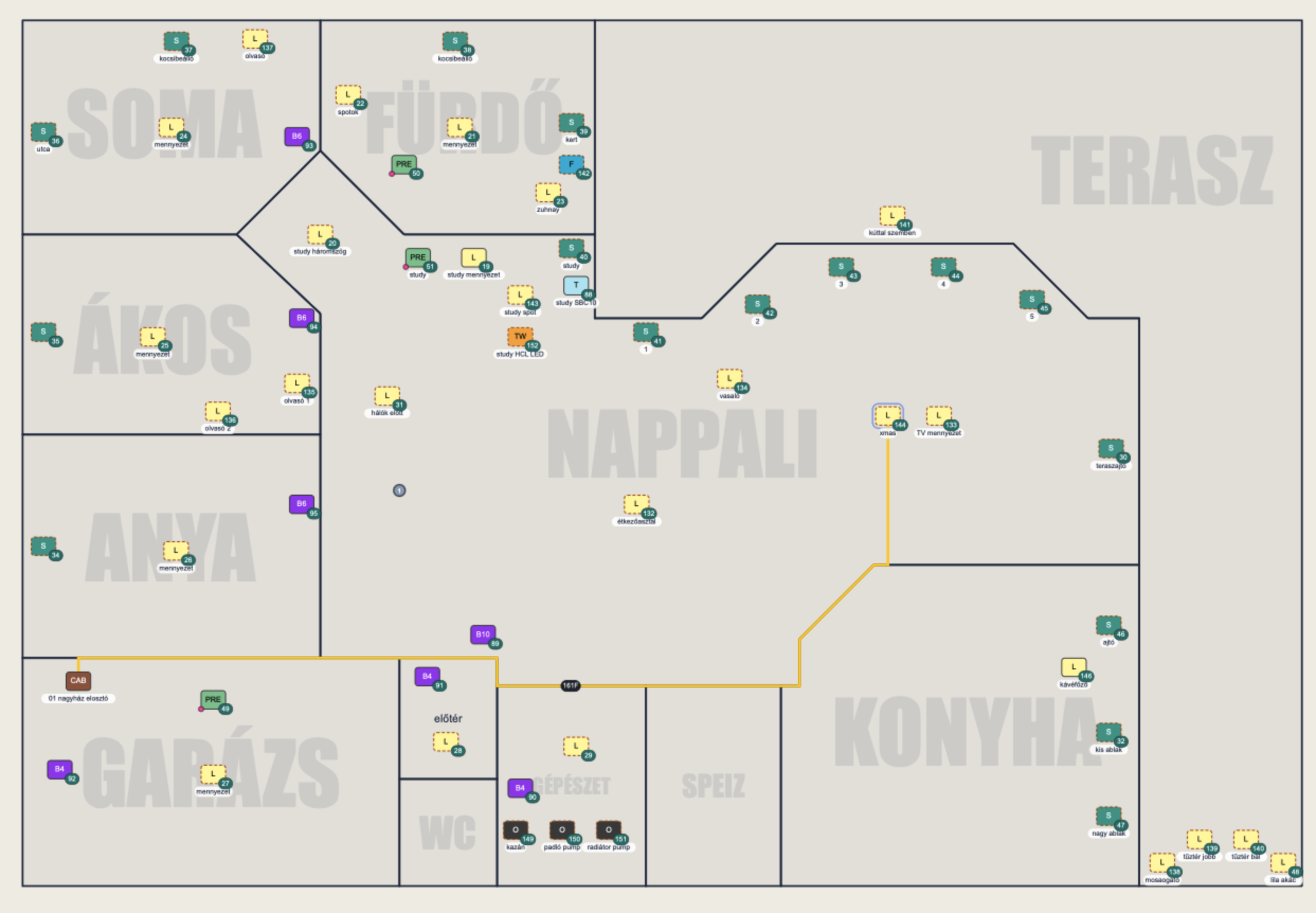
Sometimes automatic routing needs a bit of hand-holding, because it may avoid certain sections or take directions that are not feasible in real life. That is why we created guided routing.
Guided routing offers the user the potential segment endpoints found by auto-routing. The user can then choose them one by one and guide the algorithm step by step. Guided routing also includes the option that once the route is already heading in the right direction, meaning the remaining part could be completed automatically by the software, the user can press a key and let auto-routing finish the rest of the route.
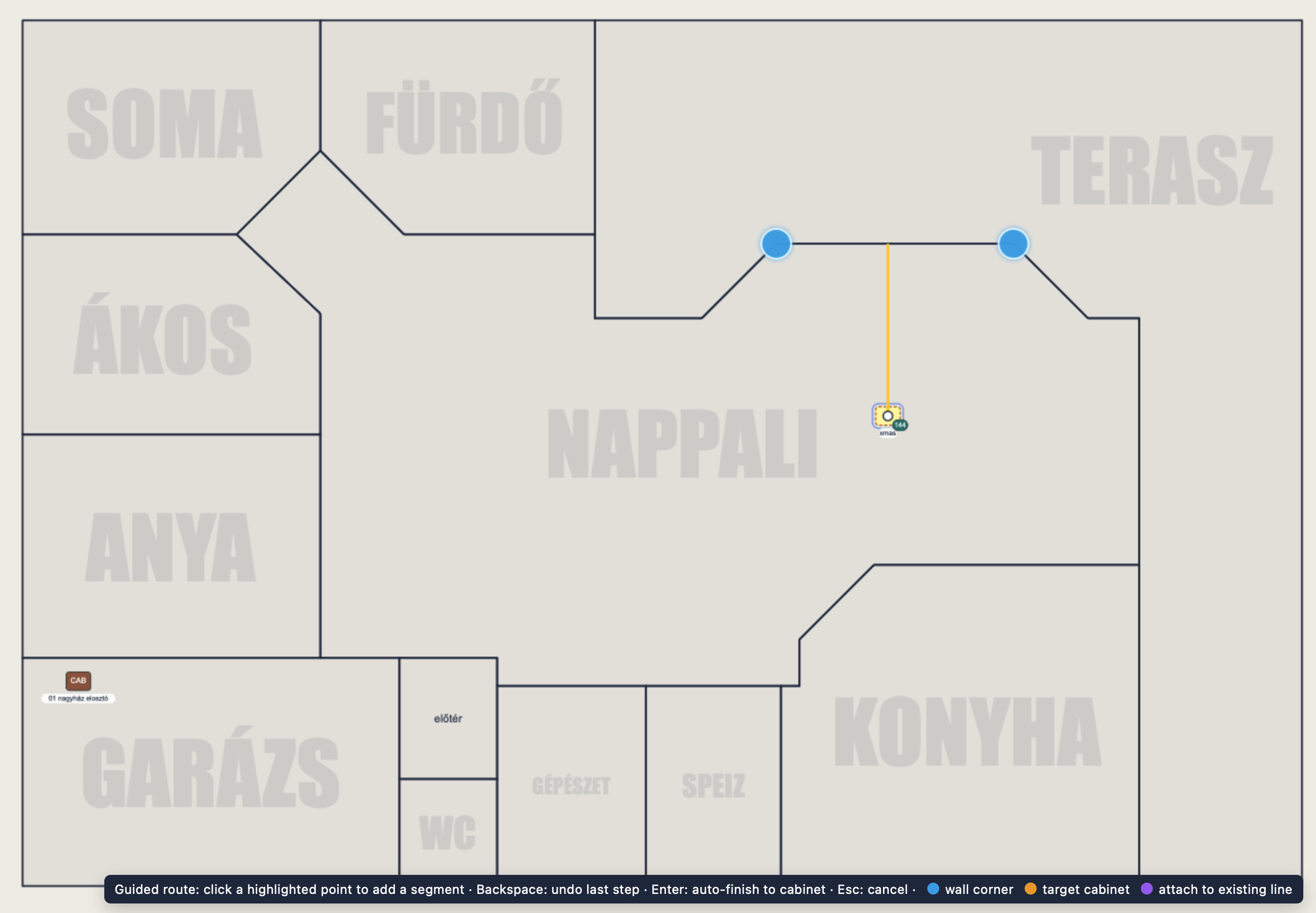
Another issue is that multiple cable routes can overlap in two different ways when the cables are of the same type:
- two cables start from the distribution board and follow a partially similar route
- one cable starts from the distribution board and then branches at some point into two or more separate cables
The second case can cause some complications. On the one hand, we need to see how long the shared cable section is. On the other hand, the algorithm that calculates the required cable length also needs to account for this correctly.
To solve this, we introduced parent-child cables.
A cable starting from the distribution board is always a parent. Another cable of the same type can connect to that parent as a child. In such a case, both the parent and the child cable receive their own unique identifiers, and when the child cable is selected, the software highlights the parent section differently:
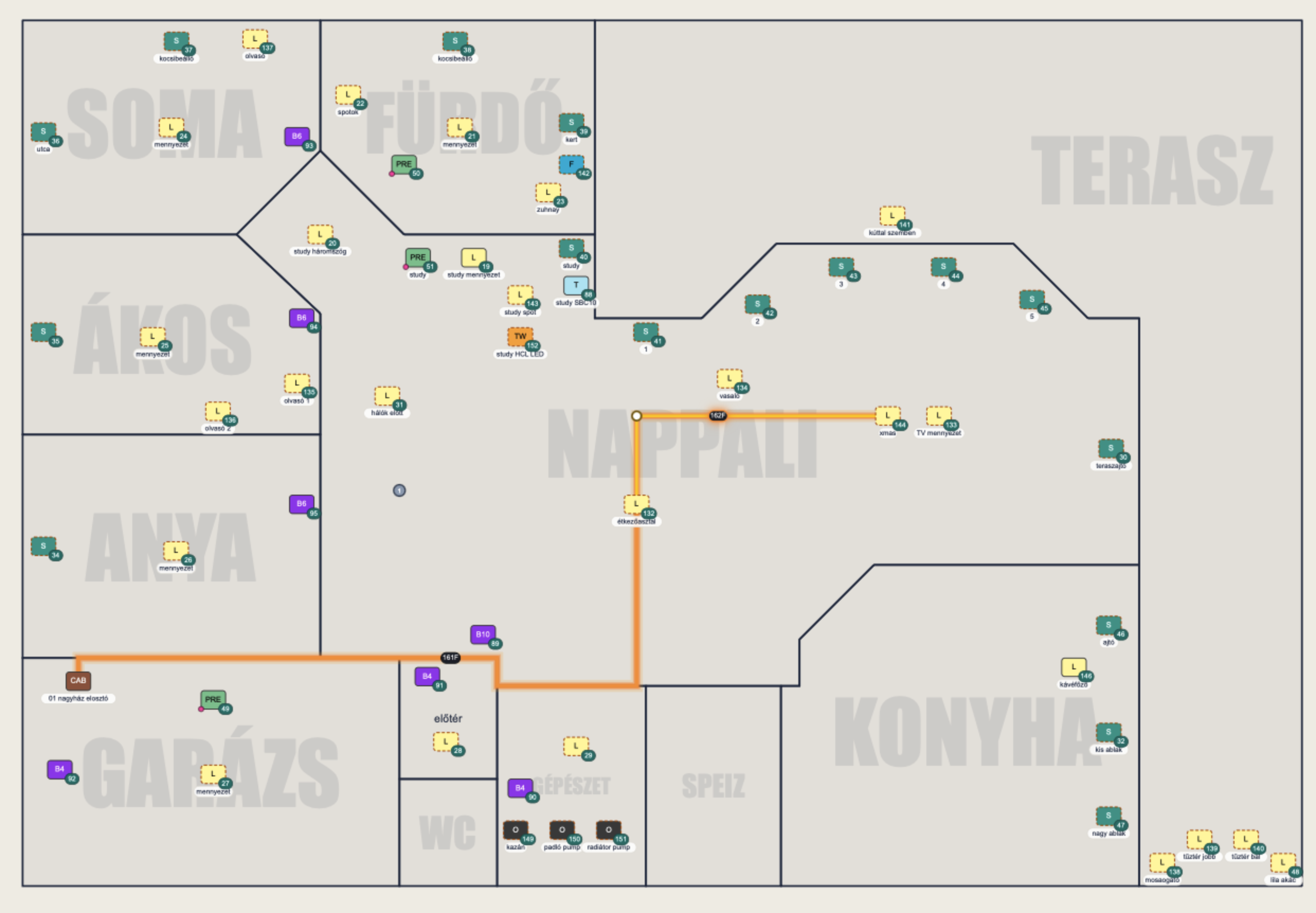
The application serves as online documentation, showing the planned cables, and in the project book generated from the plans it creates a separate page for each cable route for the installation team.