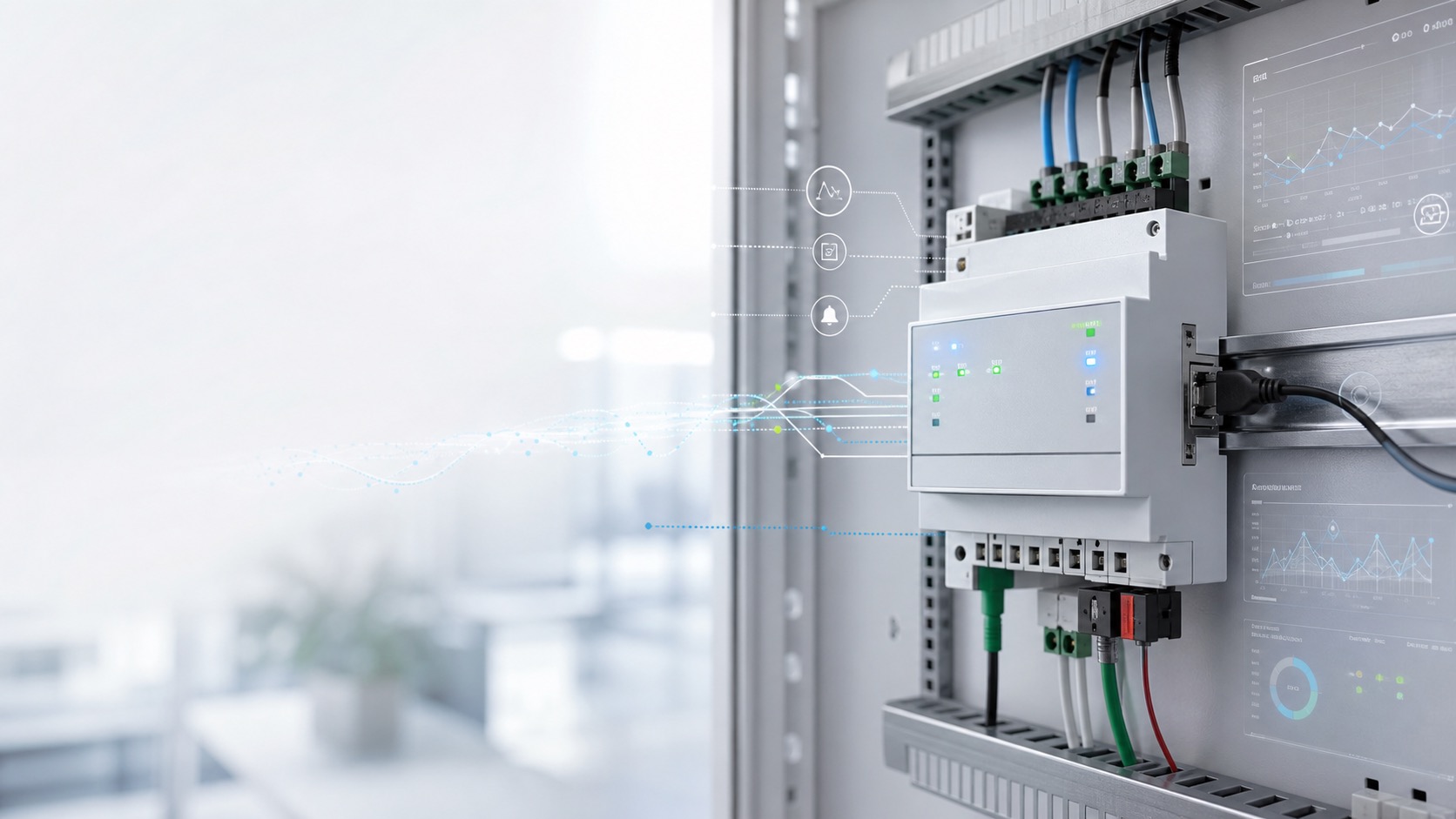
The Problem It Solves
At 3:00 AM on Monday, one of the shutters goes unavailable for two minutes, then recovers on its own. By the time you check in the morning, ETS Group Monitor was not running, the log produced by the expensive KNX target hardware has already rotated away, and you have no idea what happened.
KNX Black Box exists for exactly that moment. It continuously and unobtrusively watches KNX bus traffic, and when you need it, you can go back days or even weeks later and see exactly which device sent what value to which group address, and precisely when.
Why "Black Box"?
Because it behaves exactly like an aircraft black box: it records silently and never interferes. No bus telegram transmission, no read requests, no echo. By default, KNX Black Box does not write a single bit to the bus. This is not just a setting, but a guarantee baked into the code: there is no code path in the source that can send an L_Data.req.
What It Can Do Today in Production
It Hears Everything and Misses Nothing
It connects to the KNX bus in routing (multicast) or tunneling mode and captures every single KNXnet/IP datagram in raw form, storing them in hourly chunk files protected by checksums. If the connection drops, it automatically reconnects and logs the outage period as well, so you are never left guessing how complete the picture is.
It Works for You
It writes to its own external USB SSD and never fills up the host OS internal storage. If the SSD suddenly disappears, whether because you unplug it or due to a USB fault, it buffers in memory for a short time, then continues where it left off once the drive reconnects. If storage fills up, it discards the oldest unprotected data first using FIFO retention, while important marked periods are never deleted.
Plug and Play Storage
You do not need to deal with mounting disks at the host OS level. The add-on finds and mounts the attached USB drive on its own, whether it is already formatted with ext4, exFAT, FAT32, btrfs, or xfs, or completely empty. In the latter case, it formats it automatically. After a disk swap or unplug event, it reconnects by itself.
Google-like Search Across All KNX Traffic
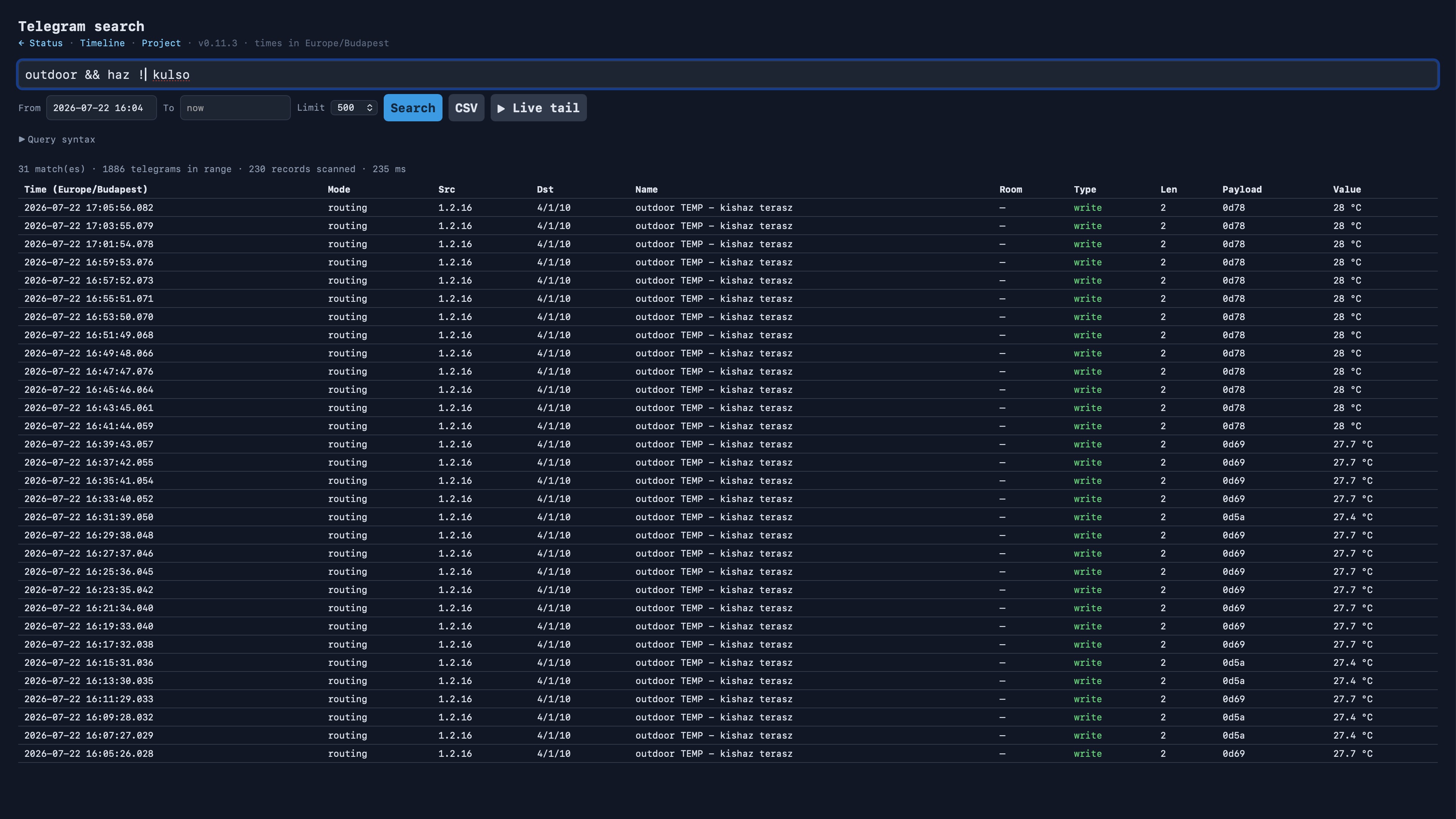
It has its own boolean query language with AND, OR, NOT, parentheses, * wildcards, field-based filters such as src, dst, type, value, payload, and also full-text search. Type "living room shutter" and it will find it wherever it appears in the telegram. Thanks to the background indexer, searches return in seconds even across weeks of history, so you do not have to wait minutes for a gigabyte-sized log.
Timeline and Traffic Map
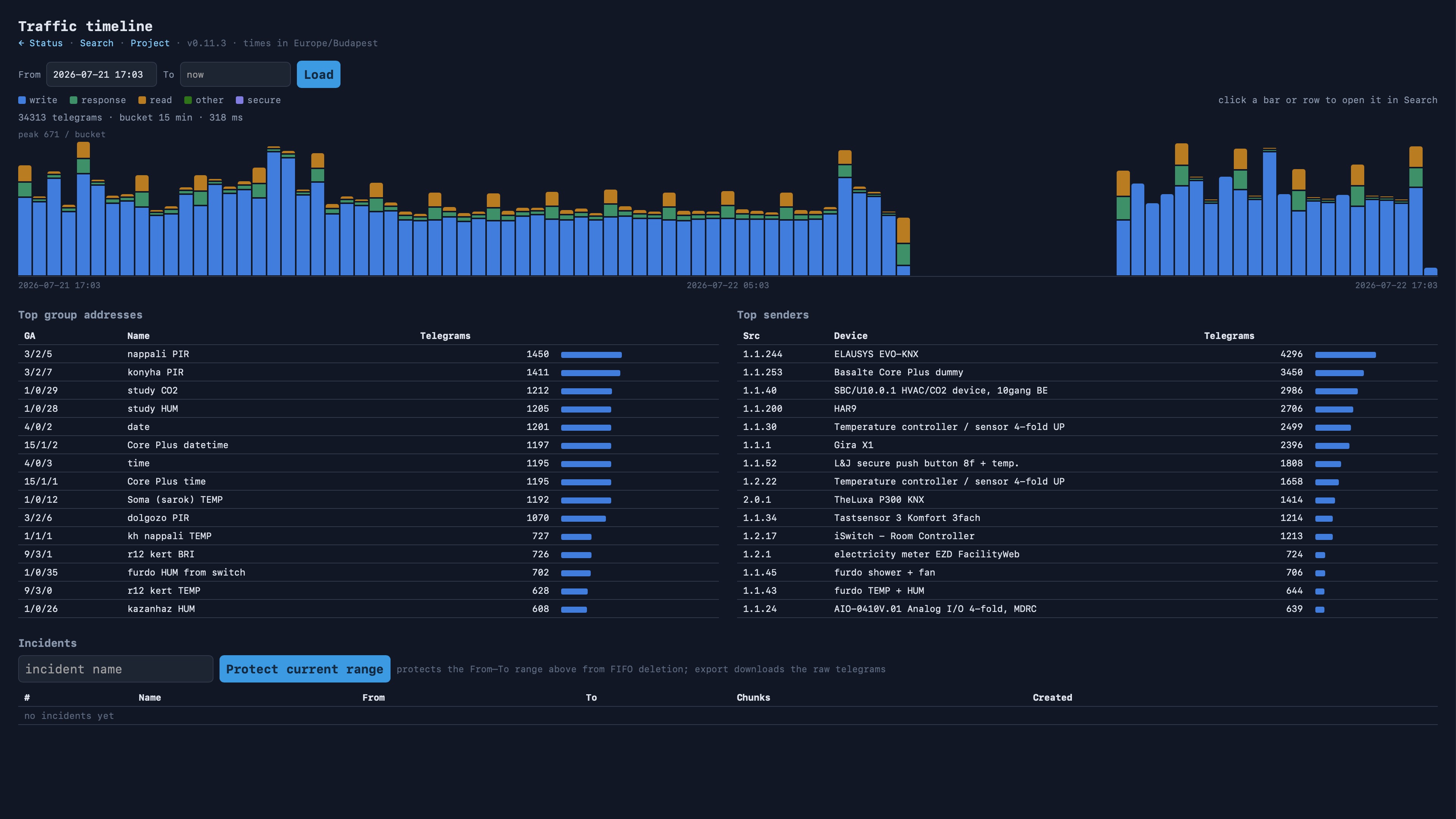
In the /timeline view, a single glance shows when bus traffic peaked and which group address or device talked the most. From there, one click takes you straight into the details of that period.
Your ETS Project Is Your Friend
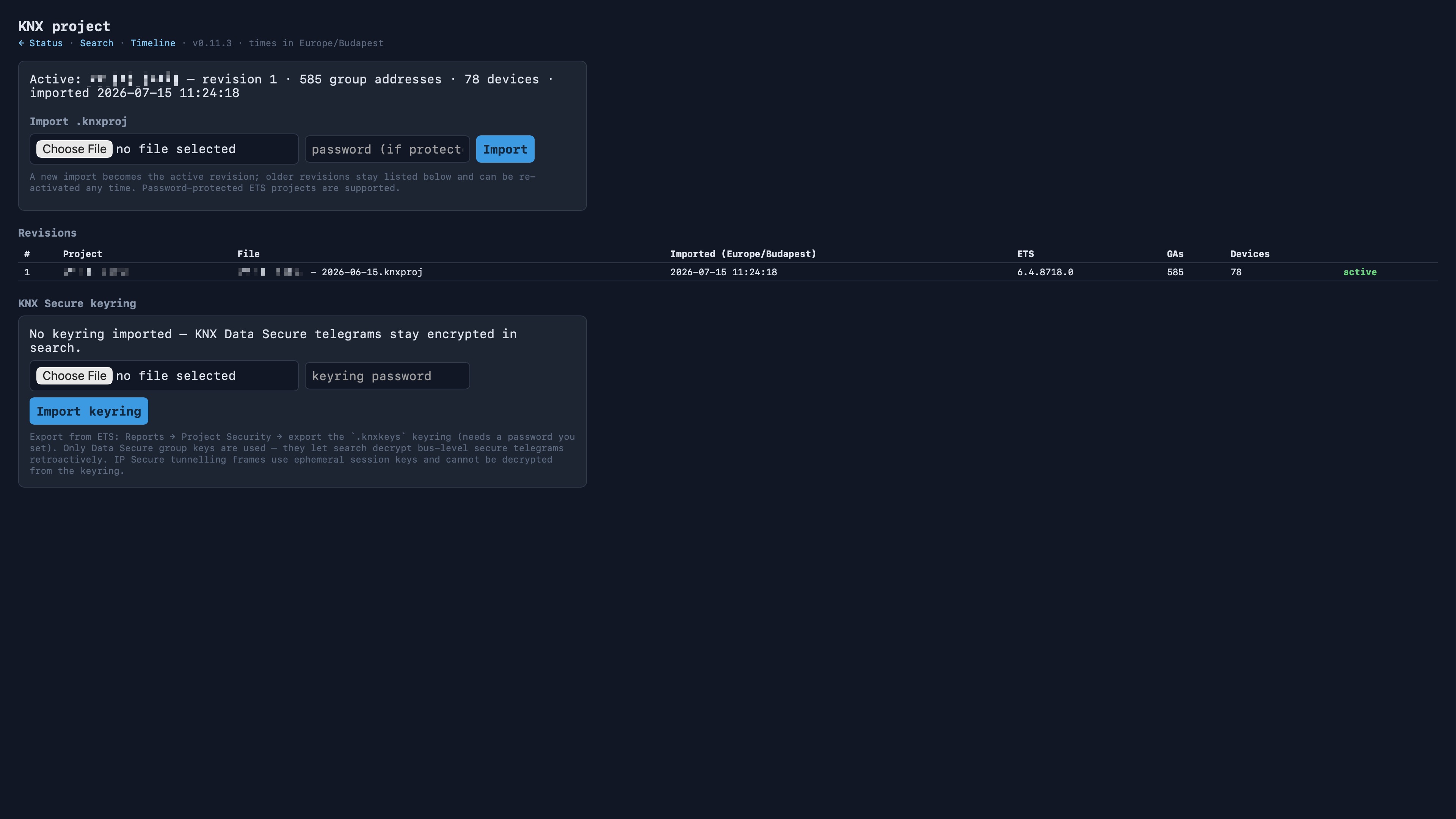
Upload your ETS .knxproj file, including password-protected ones, and instead of bare physical addresses you immediately get device names, group address names, and real engineering values such as "ON", "21.4 °C", or "35 %" instead of raw hex. Every import creates a new, restorable project revision. Older versions are never lost, and historical data is automatically re-decoded when you activate a different one.
It Handles KNX Secure Too
It records KNX Data Secure encrypted telegrams as well. You can still see the traffic, even if the content remains encrypted. If you upload your ETS .knxkeys keyring, search can retroactively decode encrypted messages too. You do not need to be present at the moment the fault occurs. Once the keys are imported, past traffic becomes readable as well.
Incidents: Mark Them, Save Them, Share Them
With a single click on the timeline, you can mark a time period as protected. From that point on, that incident is guaranteed not to be deleted, no matter how long storage cleanup continues to run. You can also export it, so the raw data can be handed off to a colleague or imported into another KNX Black Box instance.
You Always Know the System’s State
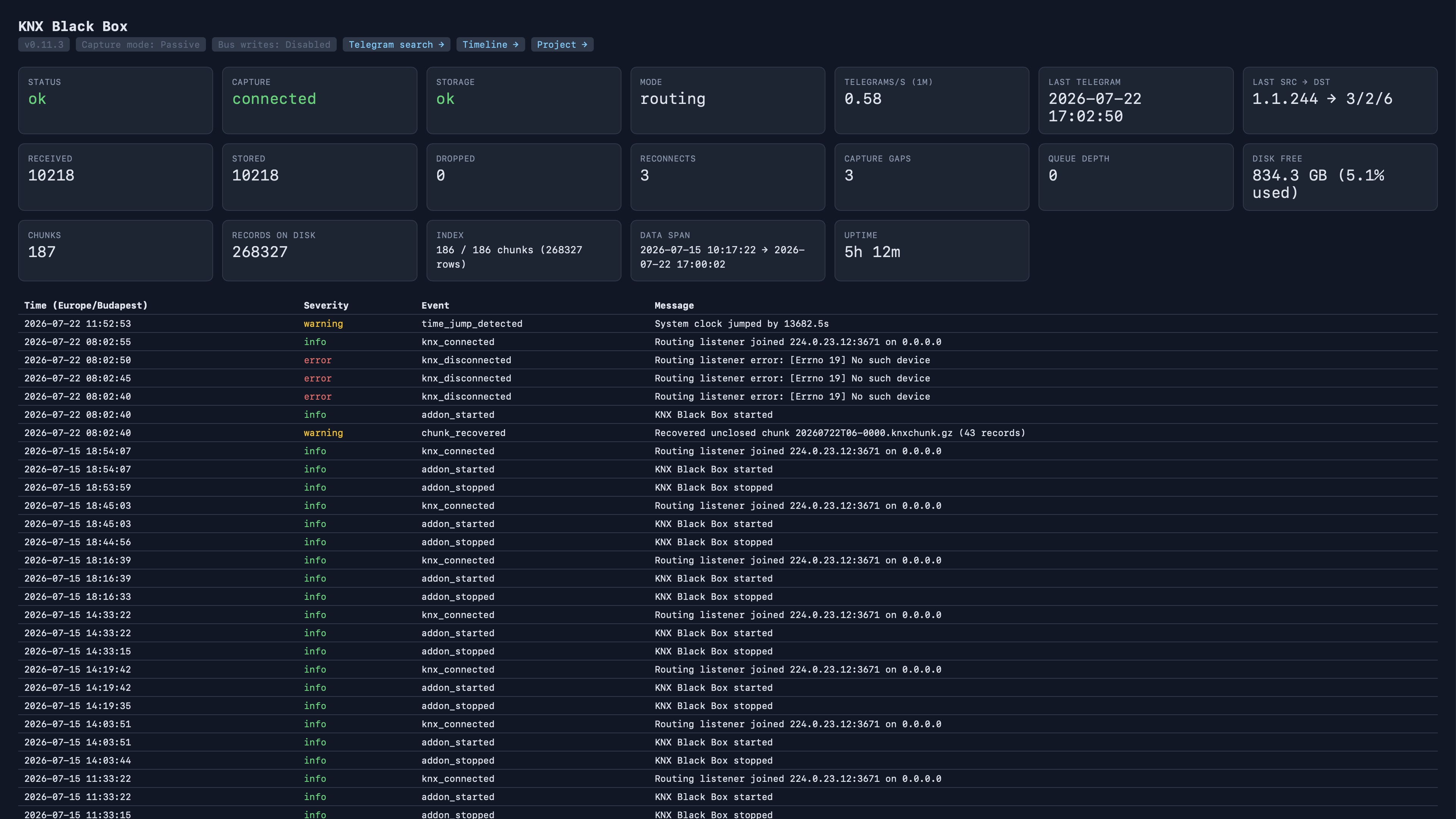
There is a live status page showing connection state, traffic rate, free disk space, active project revision, and index status, plus a machine-compatible health endpoint at /api/health that any monitoring system can poll.
Who Is It For?
Every KNX integrator and operator who:
- is tired of never being able to reproduce an intermittent fault;
- wants the customer installation to "remember" what happened to it;
- does not want to sit in front of ETS Group Monitor waiting for the exact moment a fault occurs;
- wants to show the customer evidence of what exactly did or did not happen in their system.
KNX Black Box does not replace ETS, and it does not program anything. It simply sees everything, remembers everything, and never forgets.